
Court Calendars in Arizona
No single calendar gathers every hearing from every Arizona court. Superior, Justice, and Municipal Courts each publish their own schedules through county or local systems. Each decides what appears. A courtroom calendar can be very practical. It often lists the time, the room, and the call order for a given day.
A docket entry works differently. A filed notice, order, or minute entry can set a hearing. It does not always carry the room and time details a calendar adds. In Arizona, the county Clerk of the Superior Court holds the Superior Court files. Each Justice or Municipal Court keeps its own case record. Appellate oral-argument calendars and administrative-court calendars serve narrower purposes and cannot replace trial-court schedules.
Arizona Has No Complete Statewide Trial Calendar
The Arizona Judicial Branch Public Access portal is not a statewide list of every trial hearing. It reports case information from 177 of 184 court sources. Some courts or case populations are missing or only partly shown. The portal's coverage roster names the Arizona court sources that are unavailable or partial. Think of it as a case-information search rather than a shared daily calendar.
The refresh cycle matters too. Arizona case information updates weekly, with Friday data running through the preceding Wednesday. A new notice or a reset can lag. When an Arizona case is not visible, the court may not publish that hearing online, the case type may be excluded, or the entry may not have reached the portal yet. Court tier matters as well. A Superior Court calendar will not show every Justice Court or city Municipal Court date. When the statewide result comes up short, go to the court named on the filed paper. Use its own calendar or clerk.
Note: The 177-of-184 coverage statement describes Public Access case information, not the number of Arizona courts with identical calendar access.
Finding an Arizona Court Date
Work from the newest Arizona citation, hearing notice, minute entry, or order. That document identifies the court and may show a case number, a date, and the type of hearing. Then move from the statewide case search toward the local court, because the full schedule and the current setting stay with the court that will actually hear the matter.
- For an Arizona case, write down the court, county, case number, hearing type, date, and time from the newest court paper. Keep punctuation and leading zeroes in the case number.
- Search Arizona Public Access if the court participates. Review the court and case type on the result, then check the latest case activity rather than relying on an old calendar row.
- Open the Arizona county's Superior Court calendar for a Superior Court case, or the named Justice or Municipal Court site for a lower-court matter. Use the Arizona County Directory to reach the county court information; a city citation still names its own Municipal Court.
- If an Arizona online calendar does not show the date, call the clerk of the court on the notice. For a Superior Court hearing, the assigned Arizona judicial division or coordinator can confirm room, remote instructions, and same-day calendar handling.
- At an Arizona courthouse, ask the clerk's counter or use a public terminal if one is available. A posted daily calendar or courtroom board can help confirm room and call order, but it may update later than the filed record.
- Before attending an Arizona hearing remotely, confirm the method and link with the assigned court or division. A livestream or general video page does not by itself authorize remote participation.
For a participating case, the statewide Arizona Case Lookup can help locate case activity. An exact hearing time or a recent change still calls for the county calendar and clerk.
Arizona Date and Daily Hearing Searches
Maricopa Superior Court shows how one local date search works, though its controls describe that court's calendar alone. The Court Calendar query takes a start date in month, day, and year fields. It covers one day or one week. Results are subject to change. Entries can also be modified for up to 24 hours during audit. Scheduled maintenance runs Tuesday through Saturday from 3:00 to 4:00 a.m.
The calendar controls and the Today's Hearings search use different inputs. The visible fields and their limits belong to this one court, not to a statewide form.
| Calendar Control | Input | Options or Result |
|---|---|---|
| Start Date Month | Text or select; requirement not stated. | Sets the month for Maricopa Superior Court's local calendar. |
| Start Date Day | Text or select; requirement not stated. | Sets the day within that local date search. |
| Start Date Year | Text or select; requirement not stated. | Completes the date used by Maricopa Superior Court. |
| Length | Radio or select; requirement not stated. | The Arizona query offers One Day or One Week. |
| Calendar Search | Button. | Opens an Arizona local calendar that may omit activity and can change. |
| Today's Hearings case number | Text; optional search mode. | Searches the Arizona local daily-hearing page by case number. |
| First or last name | Text; alternative search mode. | Searches the Arizona daily page by a party name instead of case number. |
| Today's Hearings Search | Button. | The Arizona result headings include name, building, floor, room, time, case number, and hearing. |
The official Maricopa Court Calendar shows the date and length controls for that court. It is a handy tool when the case belongs to this Superior Court. It should not be treated as a template for every Arizona court.
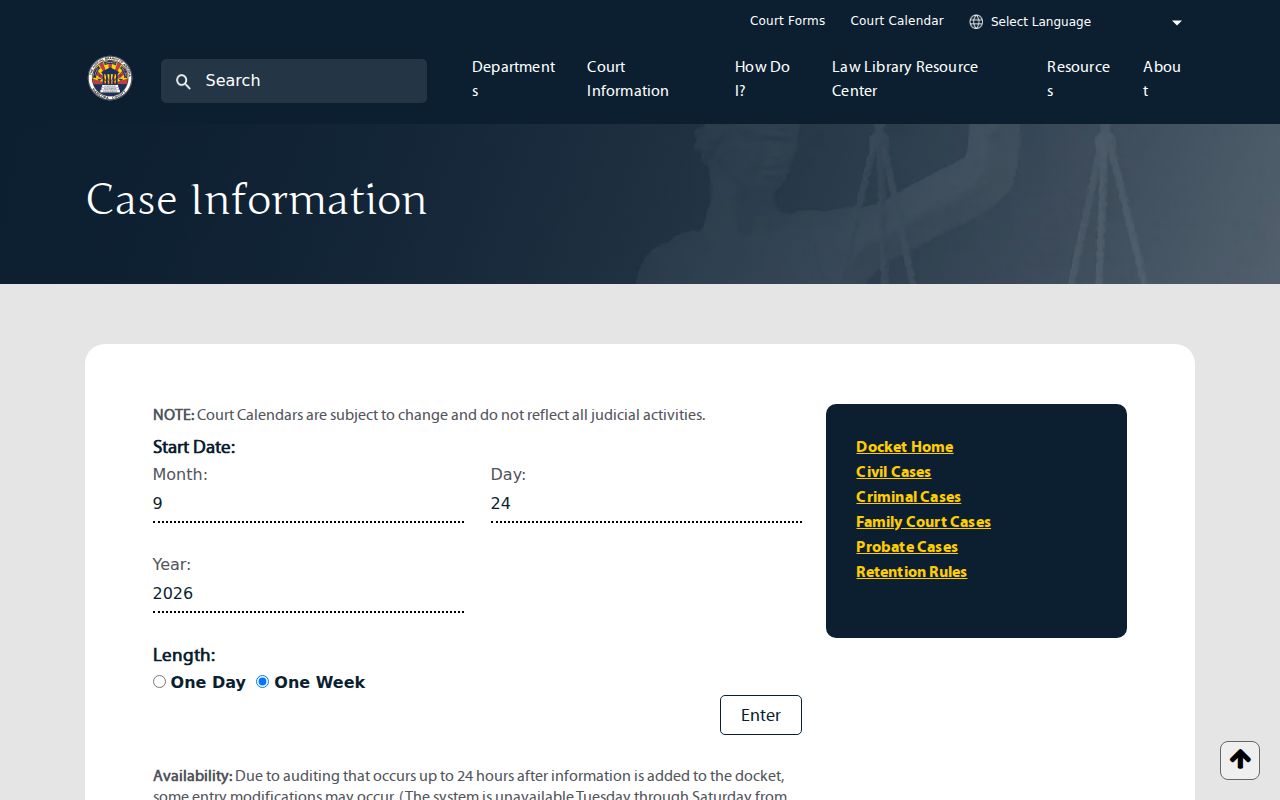
Those fields narrow the date range for one Arizona Superior Court calendar. They do not search every local trial calendar.
Maricopa's separate Today's Hearings page takes a case number or a first or last name. Results display columns for name, building, floor, room, time, case number, and hearing. The page refreshes every two minutes. Initial-appearance calendars are excluded. Some Arizona hearings are livestreamed and many are not. Juvenile proceedings never are.
The official Today's Hearings search shows the local search controls and table headings. A visible row can help identify a setting. The page itself notes that it does not list every judicial activity.
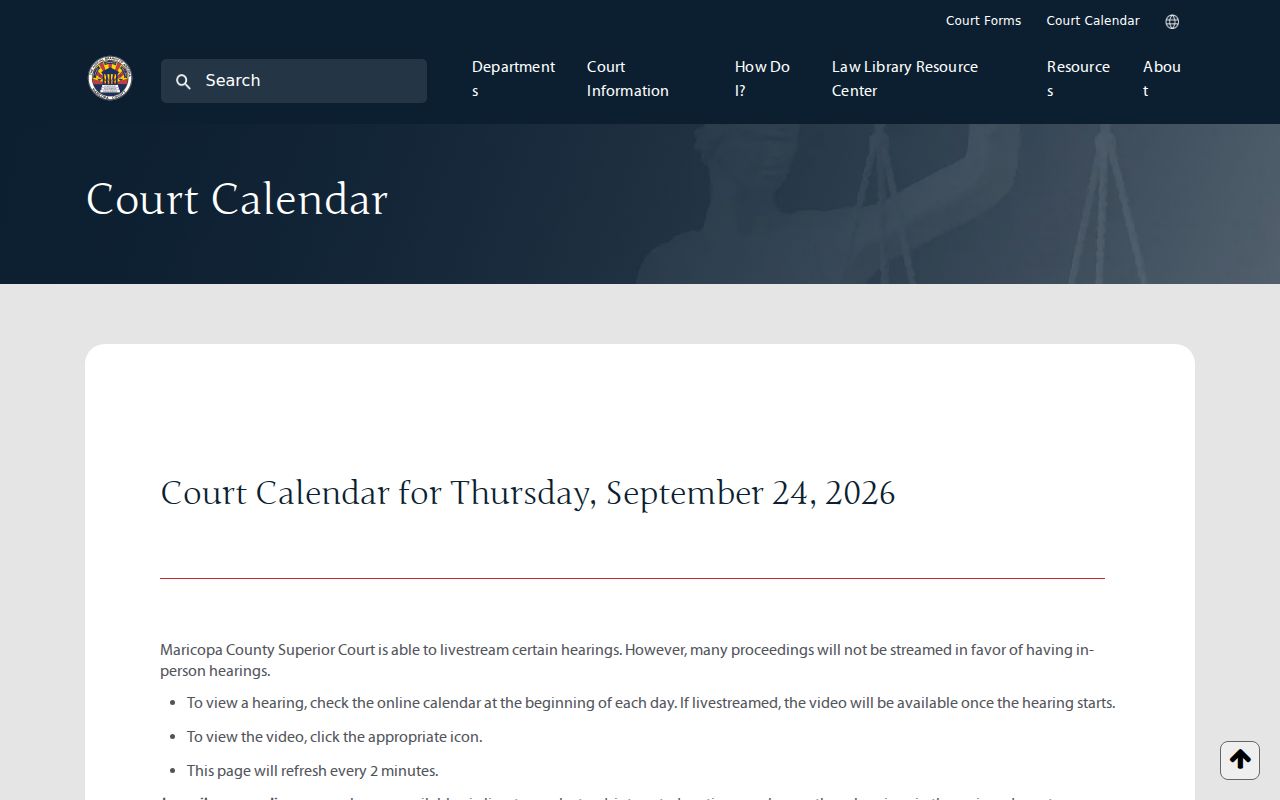
The headings can help you spot a hearing row in that local calendar. To confirm a recent Arizona setting, the case docket and the assigned court remain the place to check.
Reading an Arizona Court Setting
A setting is one scheduled event in an Arizona case. It is not the whole story. Arizona court calendars only publish the fields each local system chooses to show. Match the docket number carefully before trusting a row. Once you find the right Arizona case, set the calendar line beside the newest notice or minute entry and see if they agree. A minute entry is the court's own written account of something it did or that happened in a hearing. Under Arizona Supreme Court Rule 125, it is not a verbatim transcript. Word-for-word statements live elsewhere.
| Case Number | The Arizona court-assigned identifier. Match all letters, punctuation, and digits to the filed case. |
|---|---|
| Date and Time | The Arizona setting's scheduled day and start time. Confirm that no newer order changed it. |
| Courtroom | An Arizona calendar may list the building, floor, or room. Local displays differ, and not every field appears in each result. |
| Judge or Division | The assigned Arizona judicial officer or division can direct a question about the setting. The coordinator may confirm current room or appearance instructions. |
| Setting Type | The Arizona event label, such as a status conference, motion hearing, trial, or civil traffic hearing. |
Arizona's event codes and labels differ from court to court. There is no single statewide dropdown. When a calendar shows a short label you don't recognize, ask the clerk or the assigned division what it means before you treat that date as final or read it as a case outcome.
Arizona Calendar, Docket and Minute Entry
Arizona offers three different views, and each one answers a different question. A calendar is just a schedule snapshot. A docket is the case's dated activity list. It can preserve both the first setting and a later reset. Minute entries memorialize what the court actually did or ordered at a proceeding. Rely on one view alone. You may miss the change that matters most.
| View | What It Helps Confirm | What It Cannot Prove Alone |
|---|---|---|
| Arizona local calendar | Published date, time, room, call order, or hearing label. | That every Arizona proceeding appears or that the setting has not changed. |
| Arizona case docket or activity | Dated filings and event history, including an Arizona notice or later reset. | That a calendar row is current if the Arizona portal has not refreshed. |
| Arizona minute entry or order | The Arizona court's written record of an event or its direction. | A verbatim transcript or a guarantee that no later Arizona order followed. |
In Arizona, the calendar row can tell you the room while the newest filed order controls what the court actually set. Always compare the event date with the most recent case entry. If the two disagree, call the court.
Note: Public Access updates weekly, while a local court calendar may refresh on its own schedule, so an apparent mismatch can reflect timing.
Arizona Resets and Continuances
An Arizona continuance moves a future hearing to a later date. The old setting often stays in the case activity as a past event. An order or minute entry records the change. Never treat the first date in a case history as the current one. Find the newest accepted order and the next future setting. Then confirm room and time on the calendar. Timing gaps matter too. Arizona Public Access refreshes weekly. Maricopa Superior Court says docket entries may be modified for up to 24 hours after they are added during its audit process. A local schedule can also change after you first viewed it. If a reset shows on one screen but not another, call the Clerk of the Superior Court. You can also call the assigned judicial division for a Superior case. For a lower court, contact the Justice or Municipal Court named on the notice.
Arizona Setting Types in Plain Terms
Arizona courts use local labels for events, and those labels serve different purposes. A setting type can explain why a hearing was scheduled. It won't reveal everything the judge will decide. The glossary here covers common Arizona setting names. It is not a statewide calendar menu. Exact labels vary by court, case type, judge, and software.
- Initial appearance
- An early appearance after arrest or charging. The Maricopa daily search says its initial-appearance calendar is not included in the case/name search.
- Status or pretrial conference
- A check on case progress or preparation before a later hearing or trial.
- Motion hearing
- A scheduled time for the court to consider a request filed in the case.
- Trial management conference
- A preparation setting before a jury or bench trial.
- Oral argument
- An appellate event, not a trial setting in a Superior, Justice, or Municipal Court.
A minute entry often follows the setting in an Arizona docket. That later entry records the event or any order issued, which helps explain whether the matter was heard, continued, or given a new date.
Note: Arizona hearing labels can vary by court software, so ask the assigned clerk about an unfamiliar local abbreviation.
Missing an Arizona Court Date
Think you missed an Arizona hearing? Contact the court named on the notice right away. The clerk can identify the latest filed entry. A Superior Court judicial division or its coordinator handles courtroom scheduling questions. Ask whether a new order or date has been entered. Also ask what filing or appearance step is now required. An empty Arizona calendar does not mean the matter ended, so don't assume it did.
If You Missed a Setting:
Call the court that set the hearing and ask for the current status, the latest minute entry or order, and any next date. Consequences depend on the case type and court; do not rely on an old calendar row or wait for a weekly portal refresh to confirm what happened.
For an Arizona traffic citation, use the response date printed on the citation itself. Use the court printed there too. Missing a traffic appearance can trigger court action under the applicable procedure. For other case types, ask the clerk what the filed record requires. The same rule does not apply statewide.
Arizona Remote Appearance Links
A calendar or livestream page does not grant permission to appear remotely in an Arizona case. The assigned court or judicial division supplies the controlling instructions. So confirm the link, time, and attendance method with that court. Maricopa's calendar notice says some hearings are streamed and many are not. Juvenile proceedings are not livestreamed there. For a Superior Court setting, use the assigned division or your attorney's instructions to confirm whether remote participation is allowed. Justice and Municipal Court matters follow the instructions printed on the ticket or notice. If a link fails, call the court directly. If a reset is announced, do the same. Ask how to proceed. A public broadcast is never a substitute for joining the hearing.
Note: A livestream may let the public watch a proceeding, but it does not establish a party's right or method to appear by video.